For parents

Screen time that hands your child back

You know the feeling of prying a tablet out of small hands. Wundoria is built to do the opposite - every story it tells finishes outside, with you.

No ads, ever No in-app tricks or dark patterns Purchases behind a parent gate Photos stay on your device
Out of the box

Open it, and it just works

  1. Sign in

    Type your email and we send a six-digit code. No password.

  2. Add your child

    A first name or nickname, an age band, and a buddy: Mia or Toto.

  3. Press play

    World one opens, and your first month opens all eight.

  4. That is it

    Every day a few small missions appear on their own. You never have to set anything up.
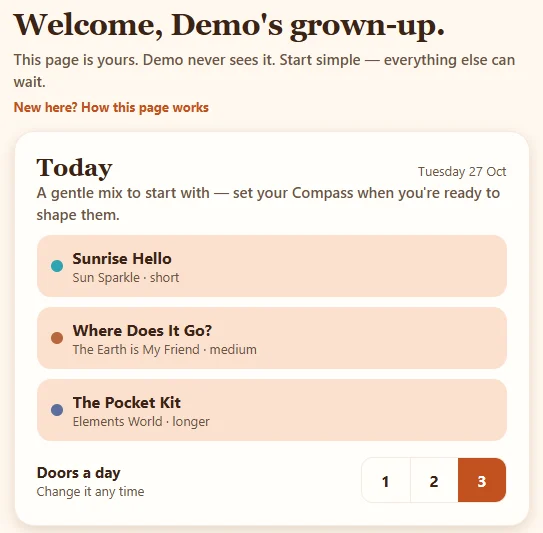
The Today card on a first visit: three doors chosen as a gentle mix, before anything has been set up

We call the daily missions doors. Out of the box they arrive as a gentle mix from across the worlds, sized for your child's age, with nothing for you to plan. Everything further down this page is there for when you want more, not before.

Tell me more

If you never open the grown-ups area at all, your child still gets the full experience: the stories, the colouring and activities, the outdoor missions, the journal and a world that grows. The tools below simply let you steer: towards calmer bedtimes, say, or around a busy week.

Only a grown-up signs in. Your child never has an account, an email or a password, and we never ask for a surname, a birthday or a photo of them.
What a week with Wundoria looks like

Mon

Ten quiet minutes

Your child meets a new world - a story-poem read aloud, a page to colour, a small thing to make. Calm by design: sentence case, soft voices, nothing flashing.

Wed

The mission hands off

The app asks your child to head outside - visit a tree three times, hunt for sparkles of light, say goodnight to the moon. Missions run from five minutes to half a day, so there's always one that fits.

Sat

Something real happened

The world on screen has changed because of what your child did off screen. The photo you took together stays in the wonder journal on your device - ours never see it.

What your child sees

A story, a mission, and a world that grows

Everything a child can reach on their own is play. Here is what that looks like.

The Wundoria worlds map on a phone

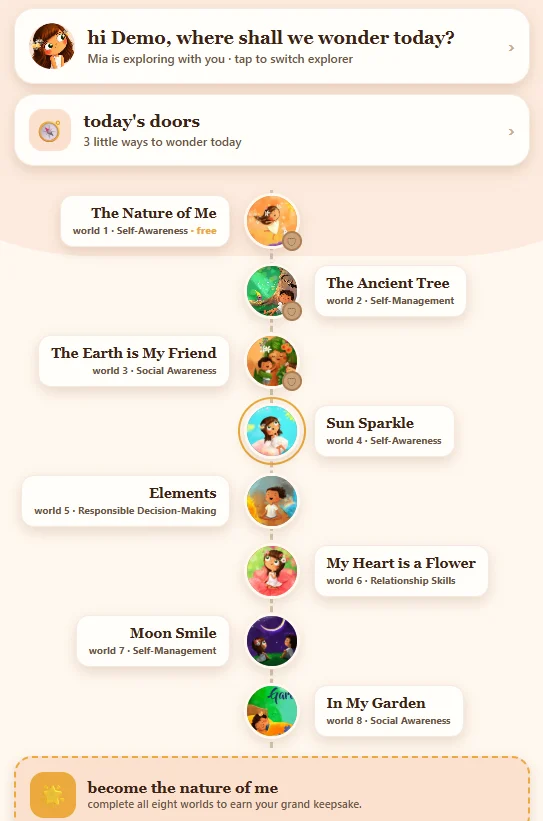
The worlds map

Eight story worlds on one map. World one, The Nature of Me, is free for every family for ever.

Tell me more

Your child taps a world to arrive, and its story plays. A world your family has not opened yet shows a gentle locked state, and never a price: unlocking lives behind the grown-ups gate.

Anything you open belongs to the whole household, so brothers and sisters share it.

A world hub on a phone with the story, mission and activities

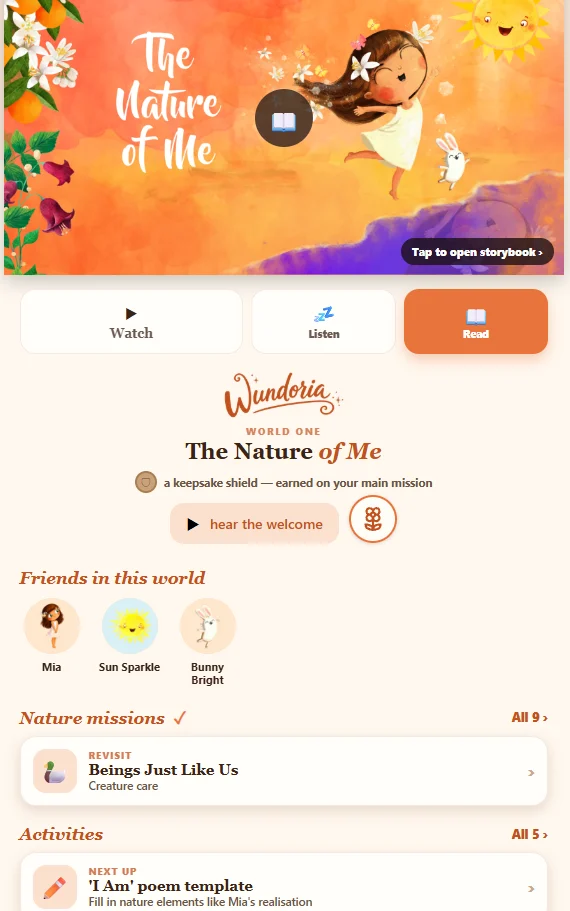
Watch, read or listen

Each world opens with its story-poem, set to music with the pictures from the book. Watch it, read it page by page, or just listen.

Tell me more

Inside each world there is a mission to do outside, pages to colour, small things to make and puzzles. Tips, activities and colouring show the level for your child's age band (3 to 5, 6 to 8, or 9 to 10) automatically, and you can change the level in the grown-ups area so siblings can share the same mission.

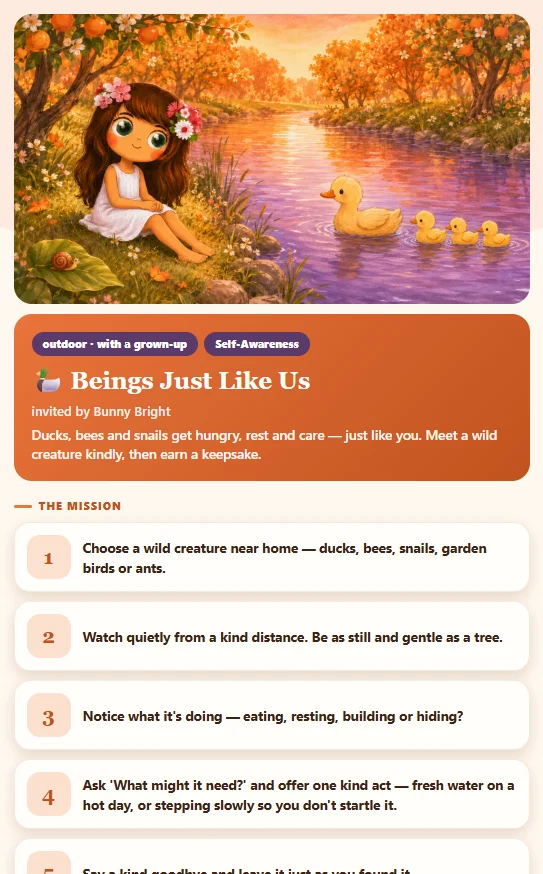
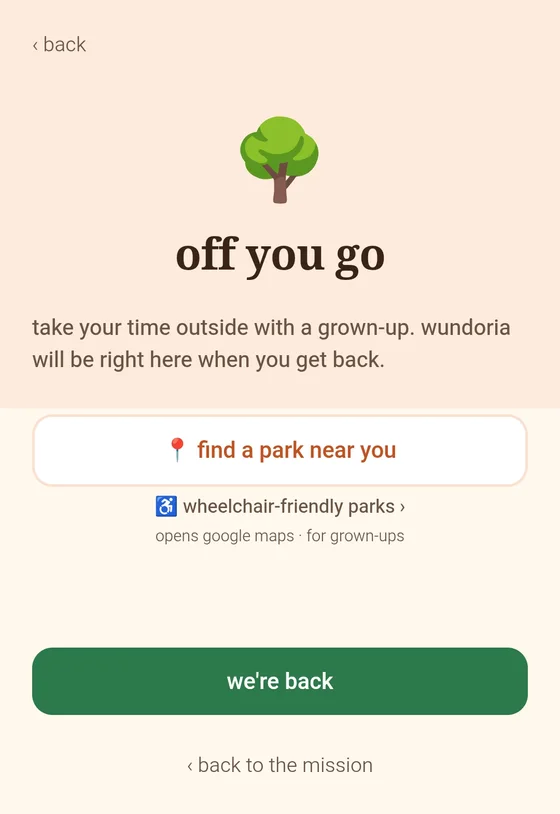
The head outside screen of a Wundoria mission

The mission hands off

A friendly voice says "head outside", and the screen waits quietly while you go and do it together.

Tell me more

Missions run from five minutes on the doorstep to a lazy afternoon: visit a tree three times, hunt for sparkles of light, say goodnight to the moon. Some run over several visits, and the app remembers where you are ("visit 2 of 3").

Some missions have a phone-down pause. You tap Start and put the phone down; any touch pauses it, and a calm line says the tree noticed. Your child sees no numbers, only a gentle surface. The minutes are kept for you.

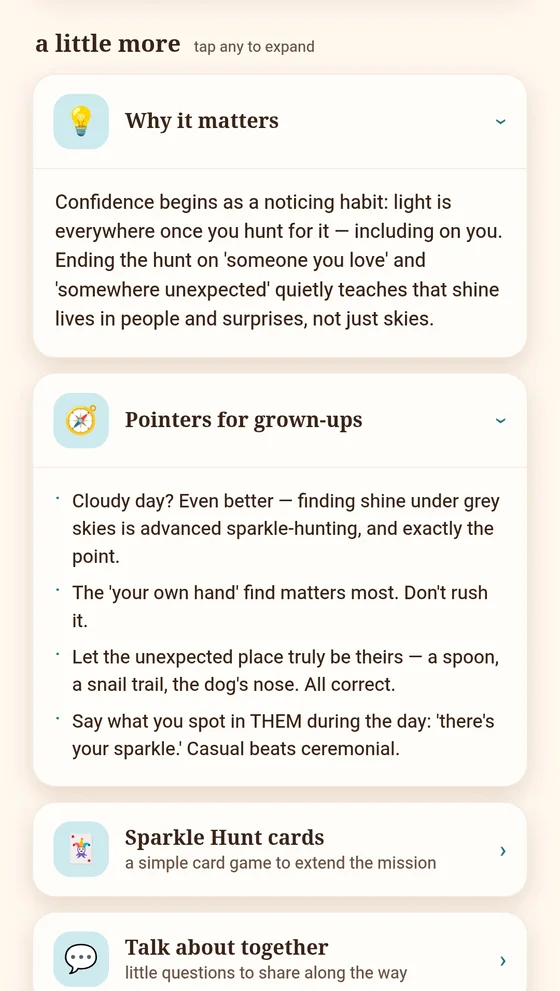
Why it matters and Pointers for grown-ups opened inside a Sun Sparkle mission

Help for you, inside every mission

Every mission carries a little more for the grown-up: why it matters, gentle pointers, a card game to stretch it and questions to talk about on the way.

Tell me more

Tap any of them to open it. They are there when you want them and quietly folded away when you do not, and you can hide them altogether in the grown-ups area once you know your way around.

The welcome back screen after a mission

"We're back"

Tap "We're back", a warm welcome plays, and your child chooses how it felt. A small sparkle, and that is all.

Tell me more

If you like, you capture a photo, a short video, a drawing or a few words. There are no points, no badges and no streaks: nothing that pushes a child to keep going. Missing a day costs nothing.

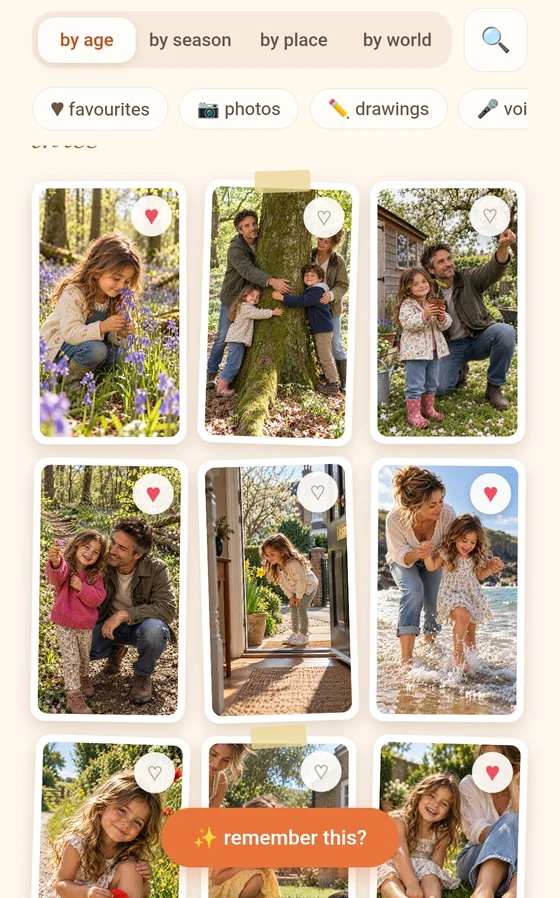
The Wonder Journal full of keepsakes

The Wonder Journal

A private album of everything your child has made and done. It lives on your phone or tablet, never on our servers.

Tell me more

Finished missions, drawings and notes gather here on their own. Your child can write a note in their own journal freely. Adding a voice note asks a grown-up once, the first time. Adding a photo or video asks a grown-up every time.

You can add your own memories too, your side of the album, in your words. Nothing in the journal ever reaches a teacher, and it never leaves your device unless you choose the encrypted Family Vault backup on a paid Wundoria Plus plan.

A child's world scene growing fuller after missions

Their world grows

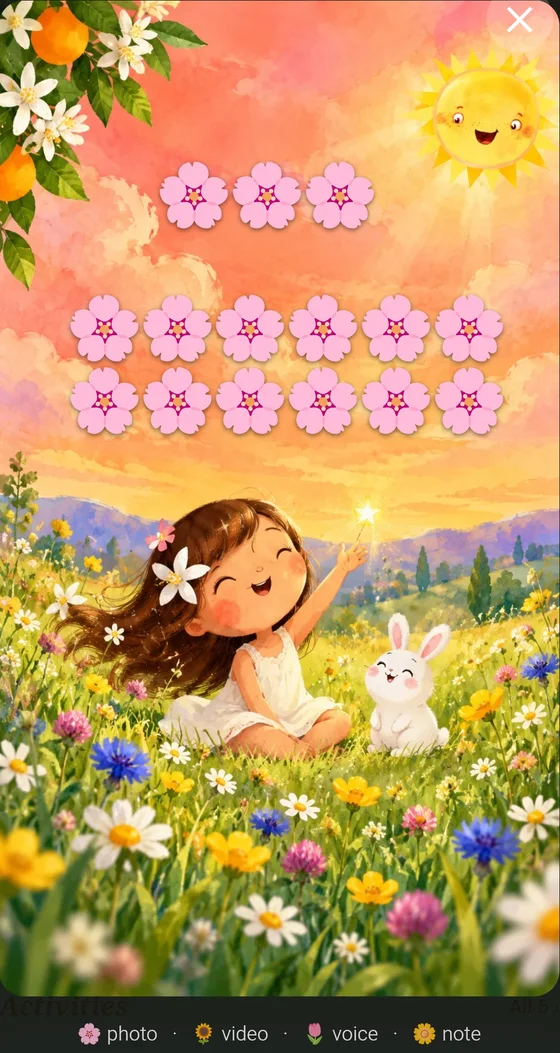
As real missions happen, your child's world fills in: more flowers, more life, and their own little nature self growing alongside.

Tell me more

Each memory they keep appears in the world's scene as a small icon they can tap to open again. A child never sees a count, only the world becoming fuller.

Each world can also earn a quiet shield: it appears when the world's main mission is done, gains a silver ring when every mission card holds a memory, and a soft golden glow after that.

Behind the grown-ups gate

Your tools, in depth

A small question only a grown-up can answer opens your side of the app. Nothing here ever shows on your child's screen, and it is deliberately plain, so a child glancing at your phone sees nothing to want.

Today's doors

The day's missions, ready to open together. Pick one, or all of them.

Tell me more

Choose one, two or three doors a day. Short, medium and longer tell you roughly how long each takes.

Not today keeps a door for another day. Swap trades it for a different one from the same world. Keep going brings a door back every day while you work something through, up to two at once, and they sit outside the daily count.

The Compass wheel with a mix of worlds

The Compass

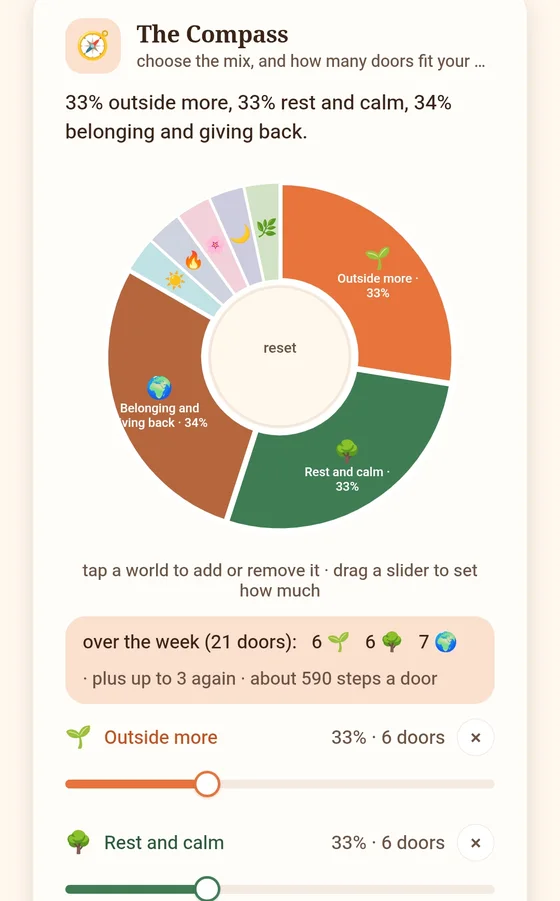
Tell Wundoria what matters at home right now, and the doors follow. A gentle mix, not a schedule.

Tell me more

Tap the worlds that matter this week or this month (bedtime, big feelings, mornings, light) and drag a slider for how much of the mix each takes. The Compass says your choice back in plain English and shows how many doors that means.

Worlds you do not choose still get about one door in ten, so nothing disappears. Save it once and every device in the family opens the same doors. Change it whenever life changes.

The Family Calendar month with busy and away days and a swimming block

The Family Calendar

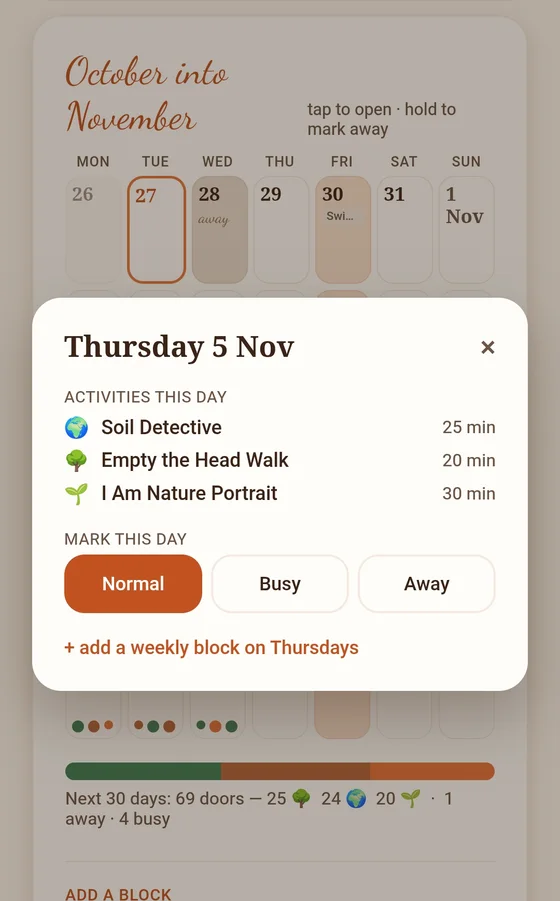
The coming month laid out like a real calendar, so the doors fit around real life.

Tell me more

Tap a day to mark it normal, busy or away. A busy day offers only quick doors; an away day opens none, which is by design.

Add the things that repeat, like "Swimming, Tuesdays 5 to 6", once. You choose what each one does: quick doors only, no doors, or move the reminders. The calendar only ever shows what is planned, never what your child has done.

Gentle reminders, in your own calendar

If you would like a nudge, Wundoria adds the week to the calendar app you already use. It never pings your child.

Tell me more

Pick a time for the doors you are keeping going (morning, after school, teatime or bedtime) and any sunrise, sunset or wind-down nudges. Sunrise and sunset use your town, never your exact location.

Adding again updates the same events rather than making duplicates. Nothing chimes if a day is missed, and nothing is counted or rated.

Find the right door search with results for bedtime

Find the right door

Type what your child is working through, like bedtime, anger or worry, and find the stories and missions that meet it.

Tell me more

Tap a ready-made chip or type your own words. Matches in worlds you have come first, and matches still to come are shown too, never with a price.

Pin a result to keep it coming, or add it to a day on the calendar. What you type is never saved or sent anywhere.

Each world, up close

A grown-up view of every mission in a world, and a quiet sense of what your child has lived.

Tell me more

Open any world to see its story missions and its twenty every-day habit missions, and which ones have been done. The numbers are for you; your child only ever sees the world grow.

The Tools drawer: quiet numbers, just for you

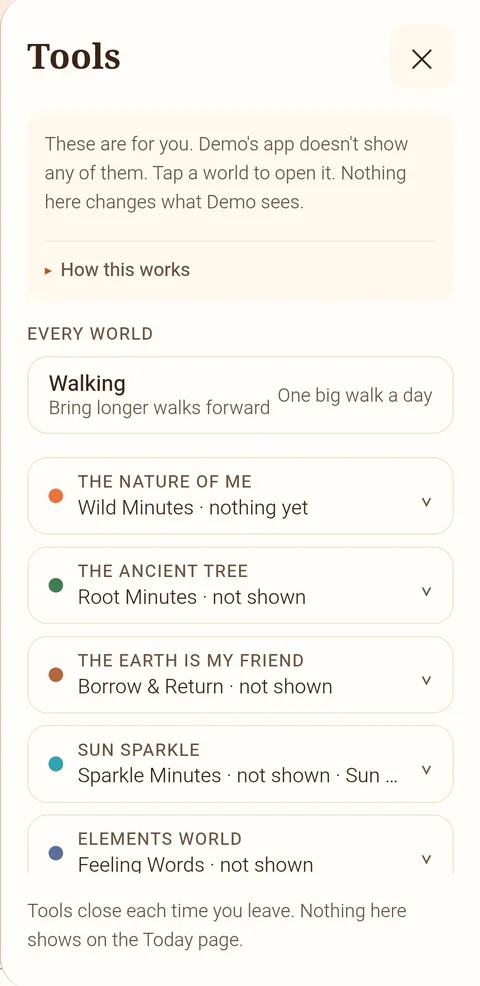
Each world counts one gentle thing on your device. Counting is always on for your child, who sees only their world grow. Show me this lets you see the number, Keep an eye on this pins it to Today, and Enough for us sets your own idea of plenty.

The Tools drawer open, with Walking and a counter for each world
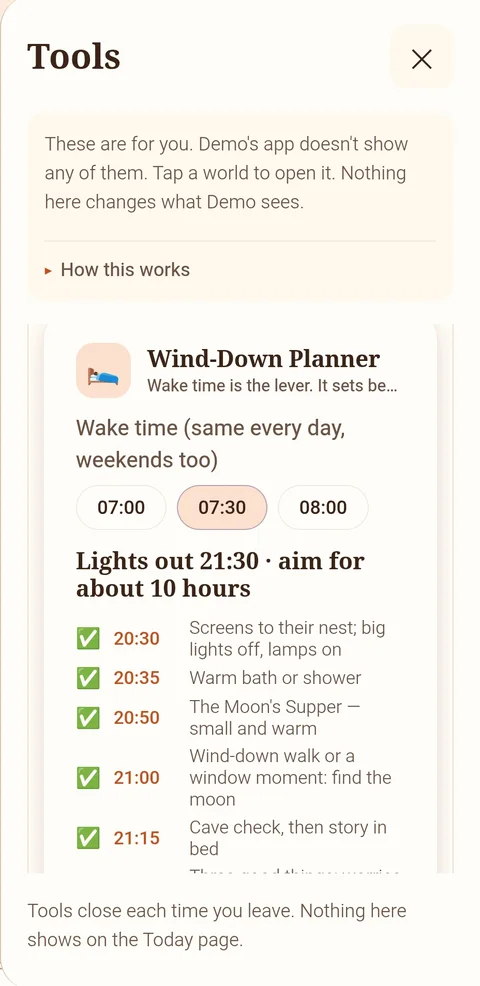
The Wind-Down Planner: a 07:30 wake time suggests lights out at 21:30 and a calm evening

Wild Minutes

Minutes outside on a mission, in any world.

Tell me more

The umbrella for every world, drawn against a gentle sixty-minute day, never a red number. Your child sees their nature self grow instead.

Root Minutes

Minutes of real stillness together.

Tell me more

From The Ancient Tree's phone-down pause. It also notices which kind of rest your family gets least.

Sparkle Minutes

Minutes of morning light.

Tell me more

From sunrise to three hours after, with Sun Sparkle. Your child sees Sun Sparkle's diamond fill.

Heart Minutes

Your undivided attention, phone down.

Tell me more

Never a measure of your child's kindness. Their flower opens a petal for each person they reach.

Feeling Words

How many words your child has for feelings.

Tell me more

Never how they feel: the app never guesses a mood.

Noticings

What your child noticed this week.

Tell me more

From In My Garden. Your child sees the night garden fill.

Borrow & Return

Giving back more than you take.

Tell me more

From The Earth is My Friend. The meadow spreads as your child gives back.

Moon Nights

Nights the wind-down routine happened.

Tell me more

Never how they slept. Your child watches the moon fill.

Wonder Steps

Steps on a mission, while the mission is open.

Tell me more

Only counts while a mission screen is open, and an iPhone asks permission once. Part of Wundoria Plus.

Walking

Tell the Compass how much walking suits you: as it comes, one big walk, or as much as you can.

Sun hours

For your town and skin, roughly how long in the sun before shade, and the best window for vitamin D.

Tell me more

A guide, not a rule. It uses your town, never your location.

Wind-down

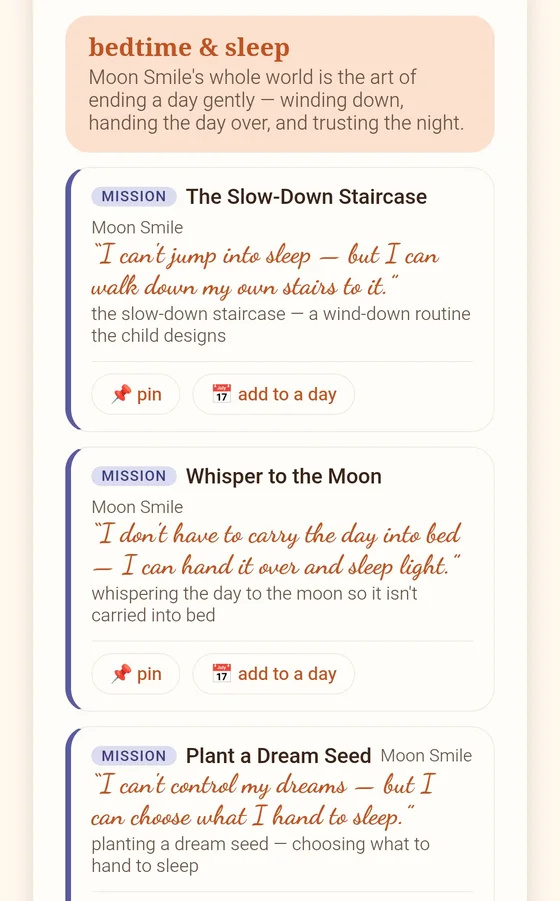
Your child's wake-up time and age suggest a bedtime and a calm seven-step evening.

Tell me more

Nothing about actual sleep is ever measured.

Bedtime notice

An optional nudge for you when the evening wind-down should begin.

Seeing the numbers is free on every plan. The daily doors, the every-day missions, Wonder Steps, pins and notices are part of Wundoria Plus, and your free first month includes them all.

For every kind of family

Siblings, schools, backups and more

Brothers and sisters

Each child has their own name, buddy, journal and Today. The Compass and calendar belong to the whole family.

Tell me more

Anything you unlock is shared by the household, so nobody pays twice. Each child's tips and activities follow their own age band.

Family Vault

An optional encrypted backup of your keepsakes, so a lost phone does not mean lost memories.

Tell me more

The vault switches on only with a paid Wundoria Plus plan, never during the free month or a gifted month. Without it, everything simply stays on your device.

When a card comes home from school

Scan it, sign in, and you land straight on the mission your child's class is doing this week.

Tell me more

Your child becomes a pupil number in that class. The teacher sees only a tick and a smiley against that number: never a name, a photo or anything from your journal. If the class has a world open, your family gets it at home until it closes.

Home education

Turn on Home-education mode and the app builds a Provision Record from what you have done.

Tell me more

It is made on your own device, ready to print or save as a PDF. It helps you show your provision; your local authority decides.

Recommend a friend

Know a family who would love this? Your friend gets the same welcome, and it counts towards Founding Families.

Tell me more

If someone gives you a code, enter it on the free month card under "have a code?".

Works anywhere

In your web browser at app.wundoria.org, on a phone, tablet or laptop.

Tell me more

Add it to your home screen and it opens like an app. Missions are written for real homes: flats, streets and parks as much as gardens.

No card, no catch

Your first month opens everything

When a grown-up first signs in, all eight worlds and every tool open for a month. No card details are asked for, so nothing is charged when it ends. After that, world one stays free forever with all your keepsakes - unlock more worlds one by one, or keep everything with Wundoria Plus.

The quiet parts, made loud

What we will never do

No streaks or scores

Nothing counts down, and missing a day costs your child nothing. There is no mechanism in Wundoria that profits from anxiety.

No notifications tugging sleeves

Wundoria never pings your child to come back. If it's been a while, the worlds are simply there, unchanged and patient. A reminder is only ever yours - added to your own calendar, if you choose one.

No data about your child

First name and age band, held only to greet them and size the activities. No surname, no birthday, no email, no location, no profiling.

No surprise costs

World one is free forever. Your free first month needs no card, so nothing can be charged when it ends. Worlds are a small one-off, Wundoria Plus is a subscription you can cancel any time, and every purchase sits behind a parent gate.

Grounded in something older than apps

Wundoria's eight worlds are built on the same social-emotional foundations schools teach - self-awareness, self-management, social awareness, relationship skills, responsible decisions - wrapped in story, art and time outdoors. Not therapy, not homework: childhood, gently structured.

The doors are open

Start your first adventure today

World one - The Nature of Me - is free for your whole household, and your first month opens all eight. Sign in with your email and Mia and Toto will take it from there.

World one is free forever, and your first month opens everything. No card details, and nothing is charged when the month ends - just a grown-up's email to sign in.